All the notifications are run by a bot called Professor Poracle. The Professor is extremely diligent, but a bit fussy in the way you need to set out your requirements.
First - Wake up poracle
Professor Poracle will talk to you by sending you direct messages in discord. You can call him to start a conversation by connecting to the Canterbury Pokemon Discord Server, going into the #mapping-discussion channel and calling for poracle with the command !poracle
Web interface
Once you have called the professor in Discord you can make changes to your notifications either by using commands - or the new web interface - here
Simple commands
When you are talking to the Professor there are a few basic commands you should remember
| Command | Description |
|---|---|
| !help | Replies with some help text |
| !tracked | Display a summary of everthing you are currently tracking |
| !stop | Stop sending me messages - if you have tracked too much this can be a good way to stop the Professor spamming you! |
| !start | Start sending messages again |
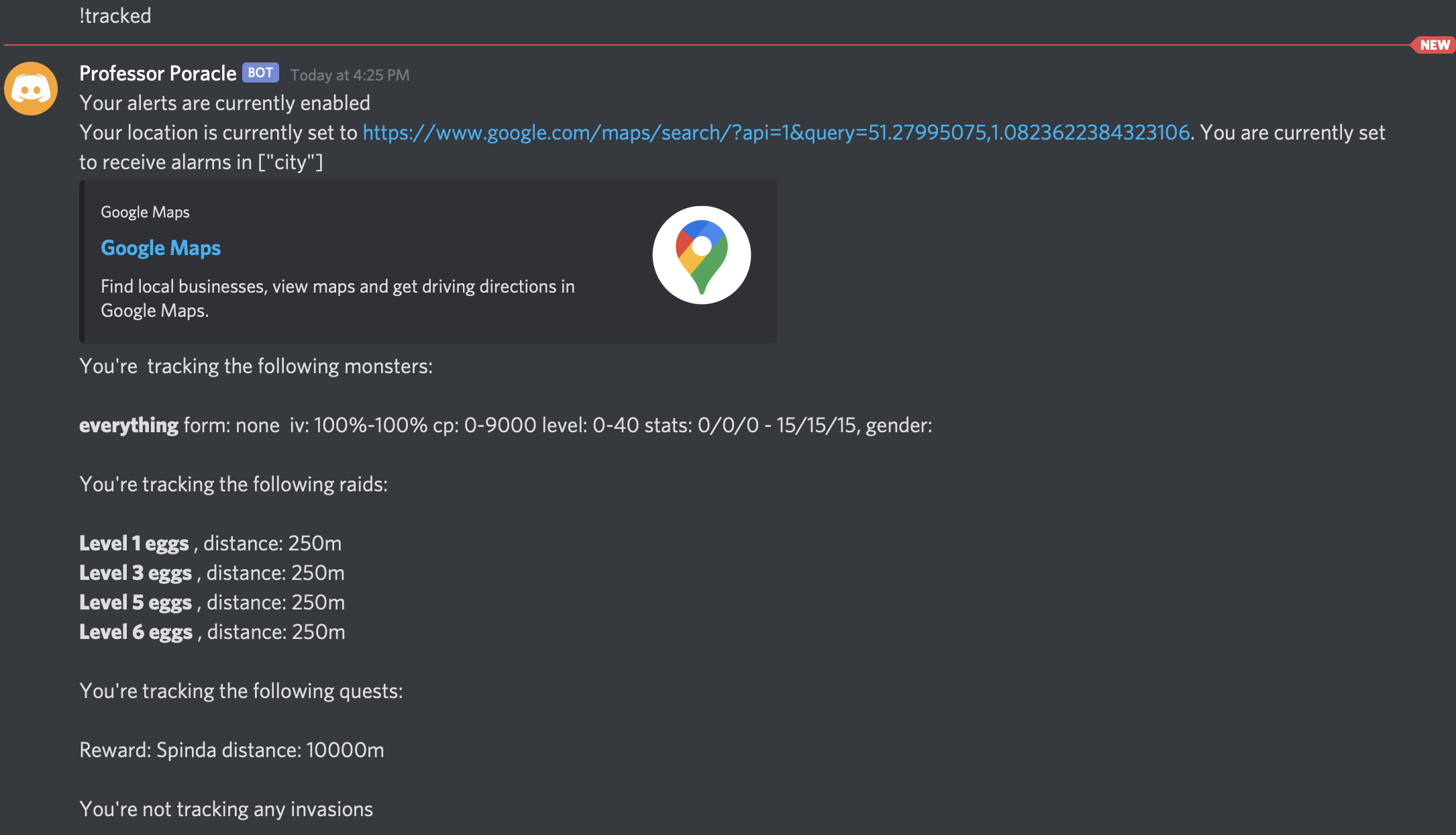
Notification area
You will only receive notifications for things that happen within the areas you have opted in, or within a certain distance from a specific location you set.
When you first start to use poracle, it is sensible to use the pre-defined areas
Setting an area for alerts
You can always see a list of areas that poracle currently supports by using the command !area list. The current areas are:
| Area name | Description |
|---|---|
| canterbury | The whole of the canterbury area covered by the scanner |
| city | The city centre area (red) |
| ukc | The University of Kent campus (north blue) |
| wincheap | The wincheap area (west blue) |
| stdunstans | The St Dunstans area (orange) |
| bridge | Bridge village |
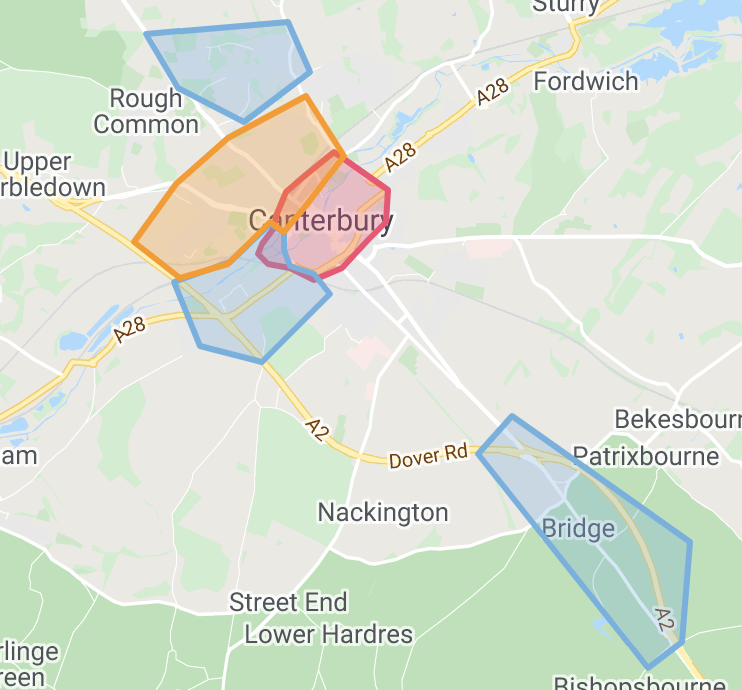
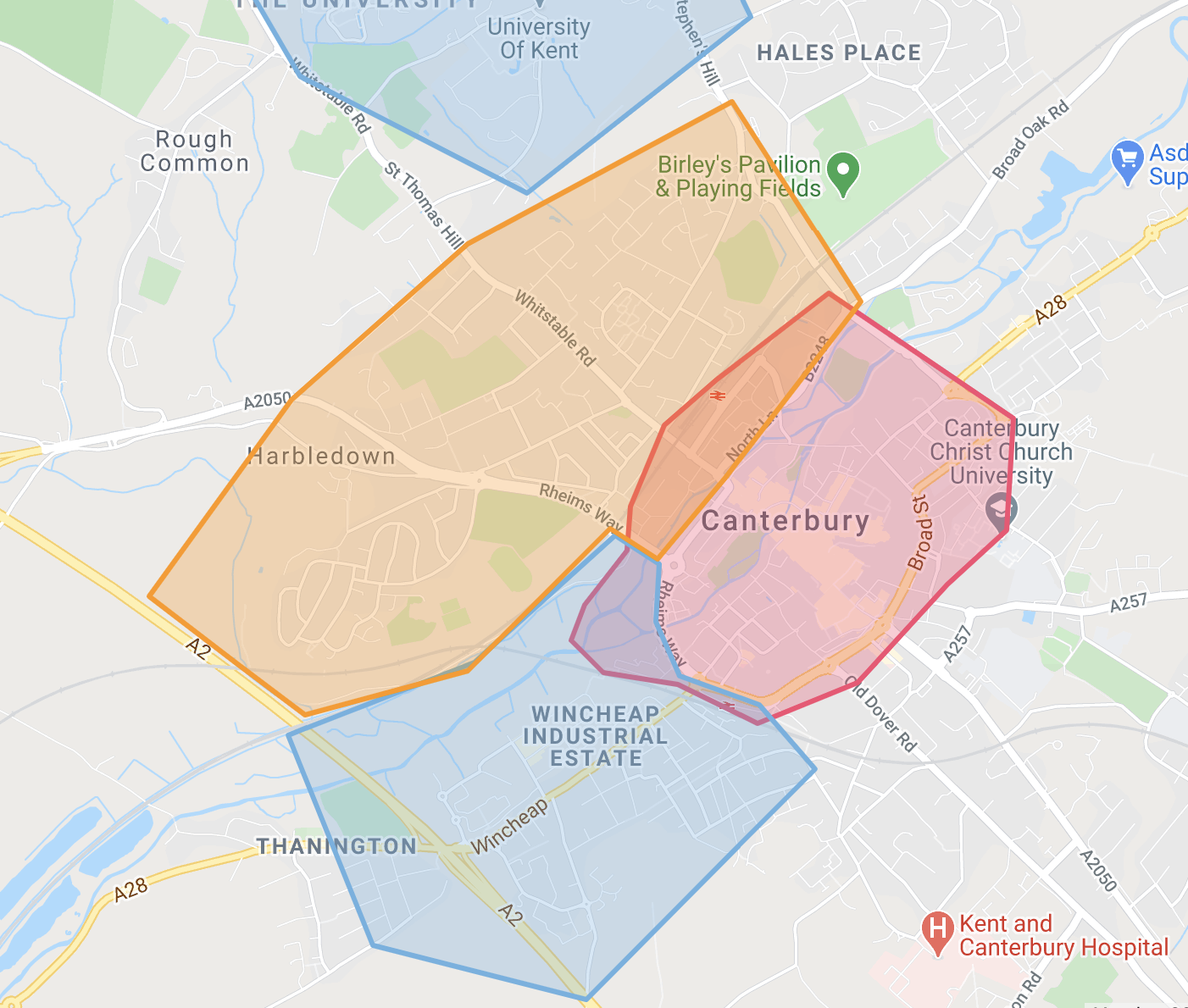
To add yourself to an area, issue a command like !area add city. Removing yourself is just the reverse !area remove city. You can see the areas you are interested in using the !tracked command
Setting your location
You can set your home location and ask for notifications only within a certain distance of that. You do this by specifying !location -
eg !location 10 New Dover Road, Canterbury
or find the latitude and longitude of your address in google maps and set it directly
eg !location 51.279,1.080
Once you have specified your location you can then add a distance marker to notifications by using the d flag - for example !egg level5 d500 - to see things within 500m of your house
Distance guide
How far/fast can you walk? Here is a guide from the internet (so it must be true!)
| Metres | Fast | Moderate | Easy Walk |
|---|---|---|---|
| 1000 | 7 | 10 | 13 |
| 2000 | 14 | 20 | 25 |
| 3000 | 21 | 30 | 38 |
| 4000 | 28 | 40 | 50 |
| 5000 | 35 | 50 | 63 |
What type of things can I be notified about?
Quests
Examples might be !quest spinda or !quest rare_candy - note the underscore instead of spaces

To remove quests - !quest remove everything (or name of specific quest)
Raids
Egg pops? !egg level5 (remove with !egg remove level5) - or raids !raid heatran
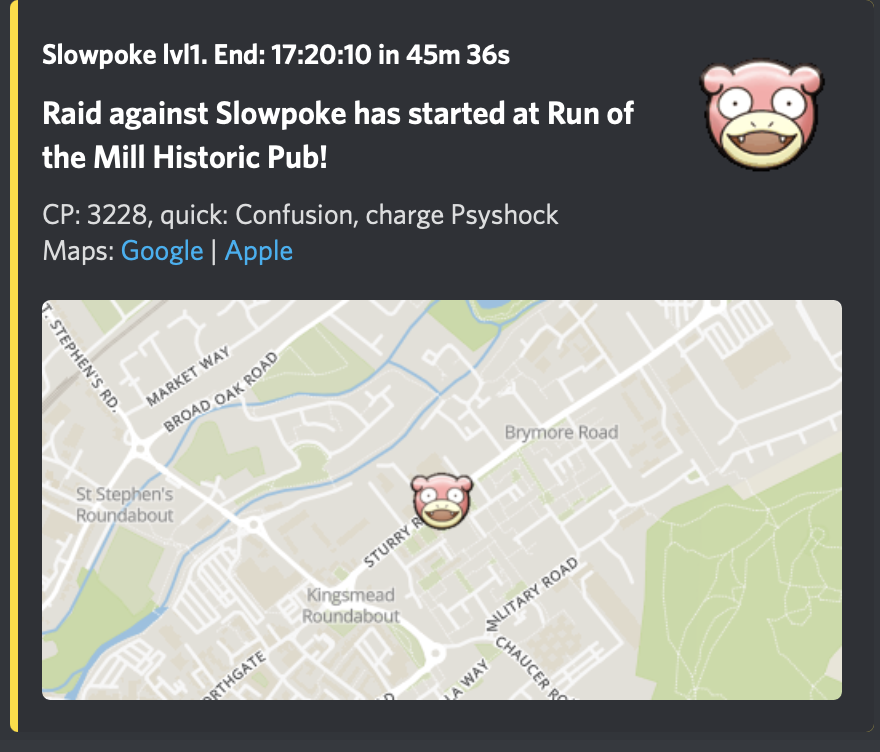
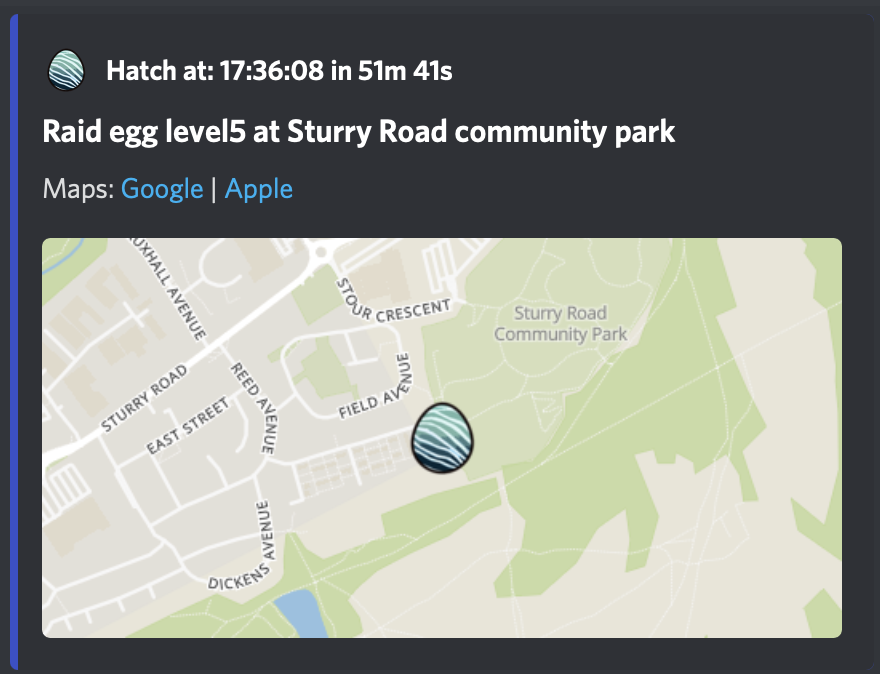
To remove eggs - !egg remove
To remove raids - !raid remove everything
Pokemon
Example might be !track gible - you can “!untrack everything” - or you might be interested in high value mons - !track everything iv100

To untrack pokemon use the !untrack command eg !untrack everything
You can qualify the pokemon you are tracking with some filters
| Filter | Example | Description |
|---|---|---|
!track pikachu |
No filters, tracks pikachu within an area you are tracking in | |
| d | !track pikachu d750 |
Tracks pikachu within 750 meters of your !location |
| iv | !track pikachu iv90 |
Tracks pikachu inside a tracked area with a minimum IV of 90% |
| maxiv | !track pikachu maxiv0 |
Tracks pikachu with 0% IV |
| weight | !track magikarp weight13130 |
Tracks "big" magikarp (13130 grams and higher) |
| maxweight | !track rattata maxweight2410 |
Tracks "tiny" rattata (2410 grams and lower) |
| male | !track rattata male |
Tracks male rattata |
| female | !track pikachu female |
Tracks female pikachu |
| everything | !track everything iv90 level20 |
Tracks eveything with a minimum IV of 90% level 20 and higher. |
| gen | !track everything gen6 iv60 level15 |
Tracks gen 6 pokemon with a minimum IV of 60% level 15 and higher. |
PVP Tracking!
New!
| Command | Usage |
|---|---|
!track snorlax great1 |
for top 1 great league snorlax |
!track everything great1 greatcp1450 |
for top 1 great league pokemon |
!track snorlax ultra100 |
for top 100 ultra league snorlax |
!track everything ultra1 ultracp2400 |
for top 1 great league pokemon maxing out at or above 2400CP |
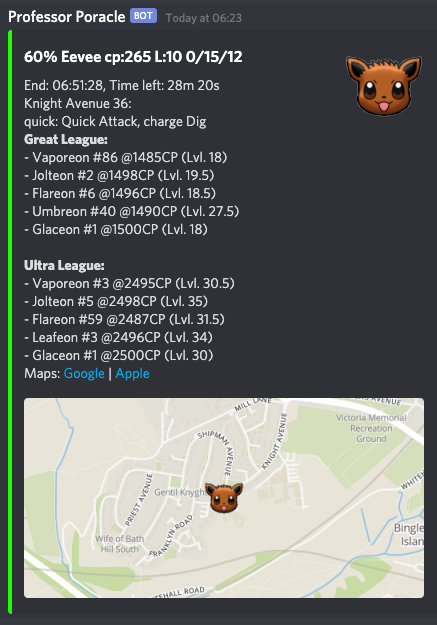
An example notification containing PVP information - you can see what this Eevee can become in Great and Ultra leagues in all its various forms
Help! I can't get it working!
(or it's spamming me!)
Look closely at your !tracked -- if you are using d after any of the things you are tracking then that is the distance from the location. Anything without a d will be sent to you only if it is in one of the areas listed
Issue !stop if you are being spammed.
Just ask in the #mapping-discussion channel - someone will help you out.